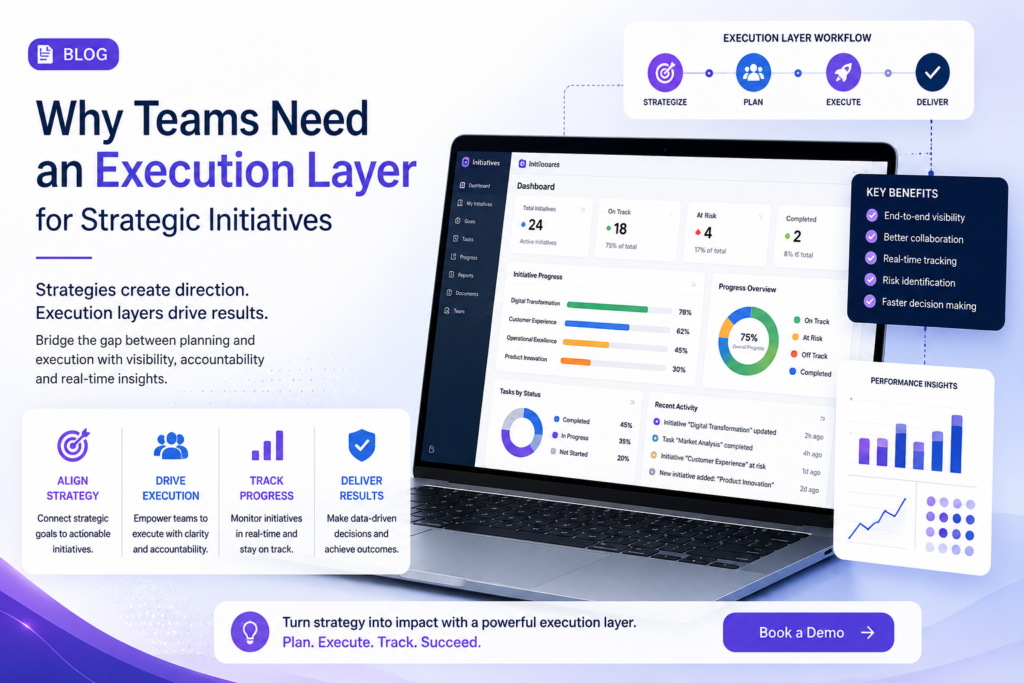
Microsoft Teams has become the daily workspace for enterprise collaboration. Meetings, discussions, documents and decisions often begin there. But strategic initiatives need more than collaboration. They need structure, ownership, approvals, governance, visibility and measurable outcomes.
When initiatives are discussed in Teams but tracked through emails, Excel sheets, review decks, and manual follow-ups, execution becomes fragmented. Leaders may know that work is happening but they may not know whether the right work is moving at the right speed.
The Problem: Collaboration Does Not Automatically Become Execution
Microsoft Teams connects people but strategic execution needs a governed process. A leadership discussion may create a new initiative but without structured intake, evaluation, ownership and approval flow, that initiative can easily lose momentum.
Ideas remain in chats, approvals get delayed in emails, and progress updates are prepared manually before review meetings. By the time leadership sees the real issue, the delay may already have affected timelines, cost or business outcomes.
The Solution: Add an Execution Layer Inside Teams
An execution layer helps convert conversations into controlled action. With Initiatives.app, organizations can capture, evaluate, prioritize, approve and track strategic initiatives directly inside Microsoft Teams.
This gives teams a clear path from idea to execution while giving leaders visibility into ownership, status, risks and pending decisions. It also reduces dependency on scattered spreadsheets and manual reporting.
For related reading, explore Microsoft Teams as a Strategy Execution Platform: Myths vs Reality.
The Problem: Approvals and Visibility Break Down
Strategic initiatives usually require decisions from business, finance, IT, compliance, and leadership teams. When these approvals happen through chat messages or email chains, delays become difficult to trace. No one has a single view of where the initiative is stuck, who needs to act or what decision is pending.
This creates weak governance and late visibility. Leadership often receives status updates during monthly reviews instead of seeing real-time execution signals.
The Solution: Governed Workflows and Real-Time Tracking
Initiatives.app adds structured approval workflows, maker-checker controls, audit trails and initiative dashboards inside the Microsoft Teams environment. Every initiative can move through defined stages with clear owners and decision points.
This helps organizations improve accountability without increasing reporting burden. Leaders can identify delays early, track initiative health and intervene before execution risks become business risks.
Read more on this challenge here: The Visibility Problem in Enterprise Execution. You can also connect with Dr. Vishwas Mahajan for more perspectives on enterprise execution governance.
The Problem: Strategy Drifts When Tools Are Disconnected
Many enterprises use Teams for discussions, Excel for tracking, PowerPoint for reviews, and email for approvals. This tool sprawl creates fragmented execution. Updates become inconsistent, ownership becomes unclear and strategic initiatives slowly drift away from their original business objectives.
The Solution: Execute Where Teams Already Collaborate
Instead of adding another disconnected system, Initiatives.app brings initiative governance into Microsoft Teams. It connects collaboration with prioritization, approvals, tracking and strategic outcomes.
This allows teams to keep working in a familiar environment while leaders gain a single view of execution progress. For more context, read Aligning Strategy and Execution Without Platform Hopping.
Conclusion
Microsoft Teams is powerful for collaboration, but strategic initiatives need an execution layer to become measurable outcomes. Without structure, ideas remain scattered, approvals slow down, visibility comes late and strategy drifts.
With Initiatives.app, enterprises can turn Microsoft Teams into a governed execution hub for strategic initiatives, helping leaders move from conversations to accountability and from planning to performance.
Bring governance, visibility and execution control into Microsoft Teams with Initiatives.app.
FAQs
Why does Microsoft Teams need an execution layer?
Because Teams supports collaboration, but strategic initiatives need governance, approvals, ownership, tracking, and outcome visibility.
What does Initiatives.app add to Microsoft Teams?
It adds structured initiative intake, prioritization, approval workflows, dashboards, audit trails, and real-time execution visibility.
Who should use this?
CIOs, PMOs, transformation teams, strategy offices, and business leaders managing cross-functional initiatives.
What problem does it solve?
It reduces scattered tracking, delayed approvals, weak visibility, unclear ownership, and strategic drift.
👉 Book a Demo | 🌐 Visit Initiatives.app
📥 Learn more about features, benefits, and use cases at:
👉 www.initiatives.app
Contact Us : info@whizible.com | +91 855-498-3315
Address : Mrugank, Level 3, Kothrud, Pune, Maharashtra, 411038