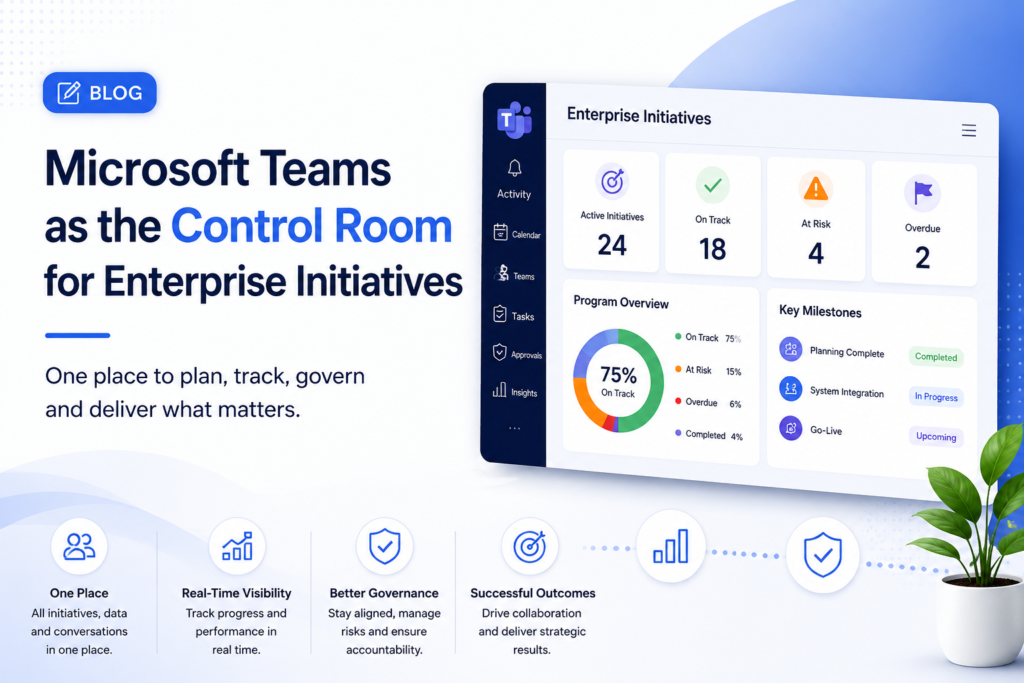
Enterprise initiatives rarely fail because of poor strategy. They fail because execution becomes fragmented across multiple tools, disconnected conversations, spreadsheets, emails, and status meetings. While leadership expects real-time visibility into strategic progress, execution teams often struggle to provide a single, accurate picture of what is happening across initiatives.
Ironically, most organizations already spend their working day inside Microsoft Teams. It has become the primary workspace for communication and collaboration, yet initiative governance continues to happen elsewhere. This separation creates delays, duplicated effort, inconsistent reporting, and a growing gap between planning and execution.
The opportunity is not to introduce another management tool. The opportunity is to make Microsoft Teams the operational control room where enterprise initiatives are planned, tracked, governed, and executed.
The Problem: Collaboration Happens in Teams, Governance Happens Somewhere Else
Teams Connects People, But Not Initiative Execution
Most organizations use Microsoft Teams for meetings, chats, document sharing, and collaboration. However, initiative planning, approvals, milestone tracking, risks, and executive reporting continue to live across multiple disconnected applications.
As a result:
- Teams spend more time preparing updates than driving execution.
- Leadership receives reports that are already outdated.
- Risks are identified only after delivery timelines begin to slip.
- Decisions become dependent on manual follow-ups rather than live information.
The real challenge is not a lack of communication, it is the lack of connected governance.
Solution: Bring Initiative Governance Directly Into Microsoft Teams
Instead of asking employees to switch between multiple applications, organizations should embed initiative planning, approvals, milestones, risks, dashboards, and executive reporting directly within Microsoft Teams. When governance becomes part of the daily workflow, updates happen naturally, accountability improves, and leadership gains continuous visibility without chasing reports.
Learn how connected execution improves governance:
https://initiatives.app/blog/
Explore more leadership perspectives from Dr. Vishwas Mahajan:
https://www.linkedin.com/in/vishmahajan/
Real-Time Visibility Replaces Weekly Status Meetings
The Cost of Delayed Information
Weekly review meetings often consume hours collecting updates that are already available somewhere across emails, spreadsheets, and conversations. By the time reports reach executives, priorities may have changed and new risks may already exist.
This creates reactive management instead of proactive leadership.
Solution: Live Executive Dashboards Inside Teams
When initiative data is updated in real time within Microsoft Teams, executives can monitor progress, milestones, ownership, dependencies, and risks through live dashboards instead of waiting for periodic reports. Teams spend less time creating presentations and more time delivering outcomes.
Discover how real-time execution visibility transforms governance:
https://initiatives.app/
Read more executive insights:
https://www.linkedin.com/in/vishmahajan/
Governance Without Increasing Administrative Work
Employees Resist Additional Systems
Many governance initiatives fail because employees perceive them as additional administrative work. Every extra portal, spreadsheet, or reporting template reduces adoption and weakens data quality.
Solution: Govern Where Work Already Happens
Microsoft Teams is already the workplace for collaboration. Extending it into a governance platform means employees continue working in the same environment while initiative data is captured as part of their normal workflow. This significantly improves adoption while reducing manual reporting effort.
Explore practical governance approaches:
https://initiatives.app/blog/
Follow strategic leadership articles:
https://www.linkedin.com/in/vishmahajan/
Better Accountability Through Connected Ownership
Accountability Often Disappears Between Departments
Large enterprise initiatives typically involve multiple business functions, vendors, and stakeholders. Without clear ownership and transparent progress tracking, dependencies become difficult to manage and accountability weakens.
Solution: One Shared Source of Initiative Truth
A centralized initiative workspace inside Microsoft Teams allows every stakeholder to see responsibilities, deadlines, approvals, dependencies, risks, and progress from one shared location. Everyone works from the same information, reducing confusion and accelerating decision-making.
Learn more about connected initiative execution:
https://initiatives.app/
Explore more thought leadership:
https://www.linkedin.com/in/vishmahajan/
Conclusion
Microsoft Teams has already become the digital workplace for modern enterprises. The next step is transforming it into the control room for enterprise initiatives.
When collaboration, governance, approvals, reporting, and executive visibility come together in one environment, organizations eliminate fragmented execution and create a faster, more accountable approach to strategy delivery.
Instead of asking, "Where is the latest project update?", leadership can focus on the more important question:
"What decisions should we make next?"
Explore how Initiatives helps organizations manage enterprise initiatives directly within Microsoft Teams: https://initiatives.app/
Frequently Asked Questions
Can Microsoft Teams be used for initiative governance?
Yes. With the right governance solution, Microsoft Teams can support initiative planning, milestone tracking, approvals, dashboards, risks, and executive reporting from one workspace.
Why do enterprise initiatives lose visibility?
Visibility is often lost because initiative information is spread across emails, spreadsheets, meetings, and disconnected project management tools, making it difficult to obtain a real-time view.
What are the benefits of managing initiatives inside Microsoft Teams?
Organizations gain improved collaboration, real-time visibility, stronger accountability, faster decision-making, reduced manual reporting, and better alignment between strategy and execution.
👉 Book a Demo | 🌐 Visit Initiatives.app
📥 Learn more about features, benefits, and use cases at:
👉 www.initiatives.app
Contact Us : info@whizible.com | +91 855-498-3315
Address : Mrugank, Level 3, Kothrud, Pune, Maharashtra, 411038